
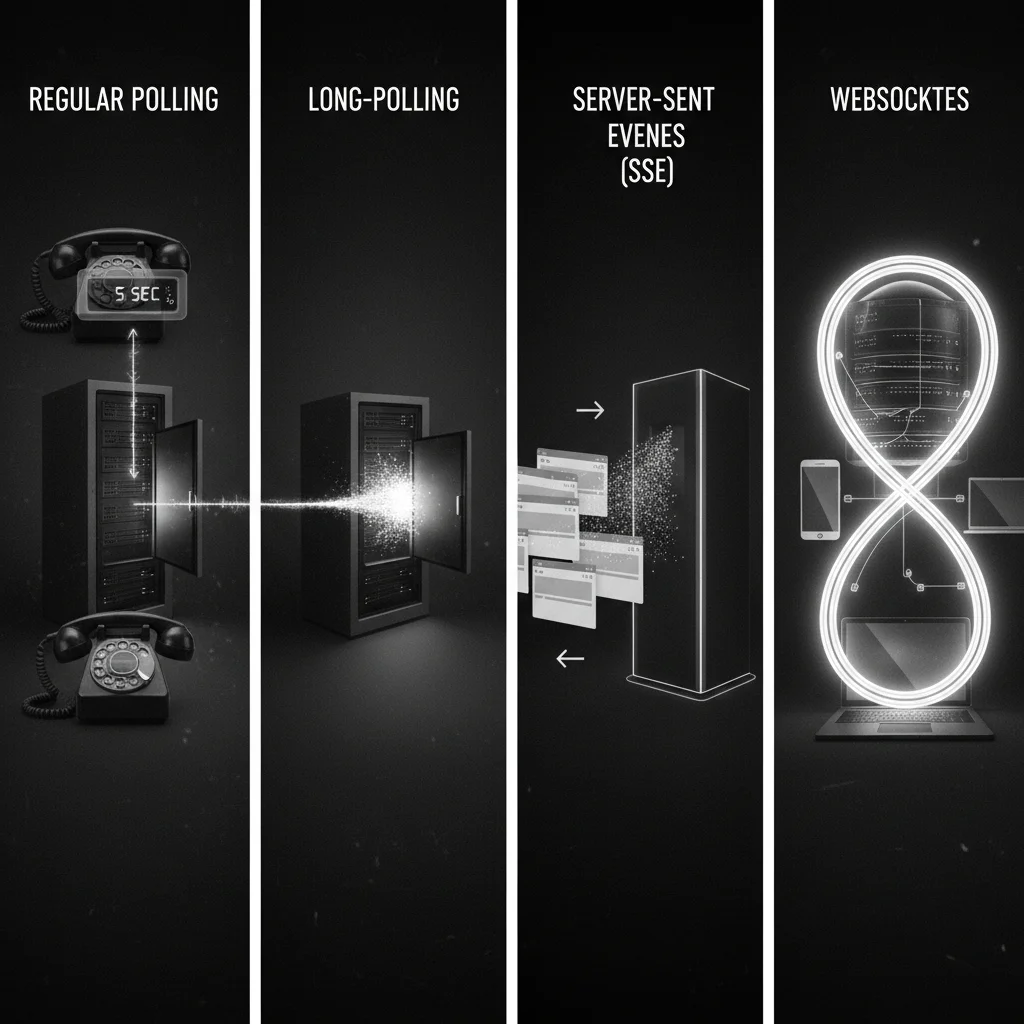
Real-Time Web Basics: WebSockets, SSE, and Long-Polling Explained
The modern web is alive. We expect stock prices to tick, chat messages to pop up instantly, and notifications to arrive without us ever touching the refresh button. But HTTP—the protocol that powers the web—was originally designed to be request-response: the client asks, and the server answers. So, how do we achieve that "always-on" feel?
In this post, we will demystify the real-time landscape by contrasting the four main strategies: Regular Polling, Long-Polling, Server-Sent Events (SSE), and WebSockets.
1. The Old School: Regular Polling
Before real-time protocols were standardized, we had polling. This is the programmatic equivalent of a child in the backseat asking, "Are we there yet?" every 10 seconds.
How it works: The client sets up a timer (usually setInterval) and sends an HTTP request to the server repeatedly to check for updates.
// A naive polling implementation
setInterval(async () => {
  try {
    const response = await fetch('/api/messages');
    const data = await response.json();
    updateUI(data);
  } catch (error) {
    console.error("Polling failed", error);
  }
}, 5000); // Check every 5 seconds
- Pros: Extremely easy to implement; works on every server.
- Cons: Wasteful. If no data has changed, you are burning bandwidth and server resources creating empty connections. It creates a delay (latency) equal to the polling interval.
2. The Hack: Long-Polling
Long-polling attempts to solve the "empty check" problem of regular polling. instead of saying "No update" immediately, the server holds the connection open until it actually has something to say.
How it works:
- Client requests data.
- Server hangs until new data arrives or a timeout occurs.
- Server responds.
- Client immediately sends a new request.
- Pros: Near real-time latency; works over standard HTTP without special protocols.
- Cons: Still reconnects frequently; heavily taxing on server thread/process usage.
3. Server-Sent Events (SSE)
SSE is a standard that allows servers to push data to the client over a single, long-lived HTTP connection. Ideally suited for scenarios where the data flows in one direction (Server -> Client).
Use Cases: News feeds, stock tickers, sport scores, system status logs.
How it works: The client opens a connection, and the server keeps writing to the stream with a specific MIME type (text/event-stream).
// Client-side usage is built into the browser
const evtSource = new EventSource("/api/stream");

evtSource.onmessage = (event) => {
  const data = JSON.parse(event.data);
  console.log("New update received:", data);
};
- Pros: Native browser support (except IE), automatic reconnection, lightweight text protocol.
- Cons: Unidirectional only. If the client needs to send data back (like a chat message), they must use a separate AJAX request.
4. The Gold Standard: WebSockets
WebSockets provide a full-duplex communication channel over a single TCP connection. Once the handshake is made (via HTTP Upgrade), the connection stays open, allowing data to flow freely in both directions simultaneously.
Use Cases: Chat apps, multiplayer games, collaborative editing (Google Docs).
- Pros: Lowest latency, bidirectional, low overhead (no HTTP headers per message).
- Cons: Requires a stateful server architecture (you have to manage the open connections); firewalls sometimes block non-standard ports (though usually port 443/80 is used).
Hands-on: Building a Tiny Chat Ticker
Let's build a minimal WebSocket example using Node.js and the ws library. This will create a server where any message sent by one person is broadcast to everyone else.
1. Server Setup (Node.js)
First, install the library: npm install ws
// server.js
const WebSocket = require('ws');

// Create a server on port 8080
const wss = new WebSocket.Server({ port: 8080 });

console.log("Chat server started on port 8080");

wss.on('connection', (ws) => {
  console.log('New client connected');

  // When the server receives a message from a client
  ws.on('message', (message) => {
    console.log(`Received: ${message}`);

    // Broadcast it to all connected clients
    wss.clients.forEach((client) => {
      if (client.readyState === WebSocket.OPEN) {
        client.send(message.toString());
      }
    });
  });
});
2. Client Setup (HTML/JS)
<!-- index.html -->
<script>
  // Connect to the WebSocket server
  const socket = new WebSocket('ws://localhost:8080');

  // Listen for messages
  socket.addEventListener('message', (event) => {
    console.log('Message from server: ', event.data);
    document.body.innerHTML += `<p>${event.data}</p>`;
  });

  // Function to send a message
  function sendMessage(text) {
    socket.send(text);
  }
</script>
Summary: Which one should I choose?
- Regular Polling: Use only for prototypes or when data changes very rarely (e.g., checking for a daily report).
- Long-Polling: Use only if you need to support ancient browsers or cannot use WebSockets due to strict corporate firewalls.
- SSE: Perfect for dashboards, feeds, and notifications where the user just consumes data.
- WebSockets: The default choice for interactive apps (chat, games) where the client acts as much as the server.